1. What is DearImGui?
Have you ever wondered? How the Hierarchy and Inspector windows in Unity-Engine are made. Those windows are constructed so beautifully that you can change the properties of your gameobjects visually, without having to change them in code, in a hope to get the value right. This editor-window is not only limited to Unity. It is also used in the Godot-Engine, Unreal-Engine and Blender. Although these famous engines/applications use their own in-house GUI implementations, ImGui provides something similar for making developer and debugging tools for games and other real-time applications. Take a look at Fig-1.1.
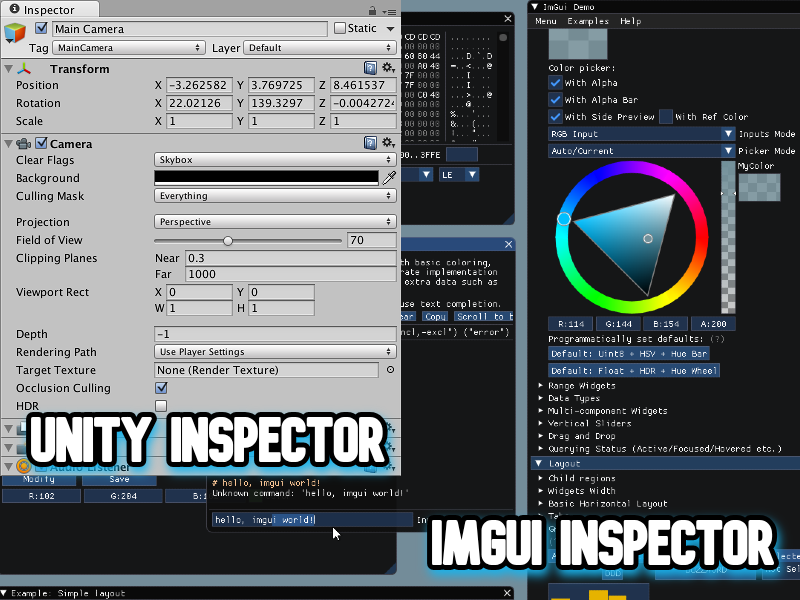
Fig-1.1
If the above rant was inspiring enough, let's try to understand what exactly is ImGui and how is it different. ImGui is an API (Application Programming Interface), which abstracts away all the low-level mind-exploding graphics stuff. Most important of all it is an 'immediate mode' UI rendering API, that's what the 'I-M' in ImGui stands for. You might ask "What in the world is this immediate mode?". Don't worry, I've just the answer for this. Immediate mode graphical UI rendering APIs don't store the state objects of the widgets in memory, instead it renders/redefines these widgets every frame (every cycle of the game-loop) and thus it defines the widgets anew every frame and it's all managed internally. In short entire UI is rendered every frame. This allows for cool dynamic UIs and full-control over rendering of the UI. Which is ideal for debugging, profiling and tooling your real-time applications. And this is where it stands out from the other graphical UI rendering APIs.
There is another class of such APIs called RmGui's which stands for 'Retained mode graphical UI'. Qt and wxWidgets are examples of such APIs, Unlike ImGui they store the state object of each widget and just manage their states using getters and setters. Retained mode APIs do event-driven updates, instead of drawing the UI each frame it renders the UI after an event takes place, like changing a value or any event that changes the UI state. This is generally more CPU efficient and thus used in many complex desktop applications, but it has overhead when managing a large scene-graph of widgets. But this doesn't give us much flexibility like ImGui in case of real-time applications. Unity and Godot have their custom retained mode implementations for most part, while unity uses some of it's IMGUI implementations for certain features/tools, but discussing that would be outside the scope of this blog.
I've written a C-style pseudo-code for your understanding of difference between immediate mode (Fig-1.2.1) and retained mode (Fig-1.2.2).
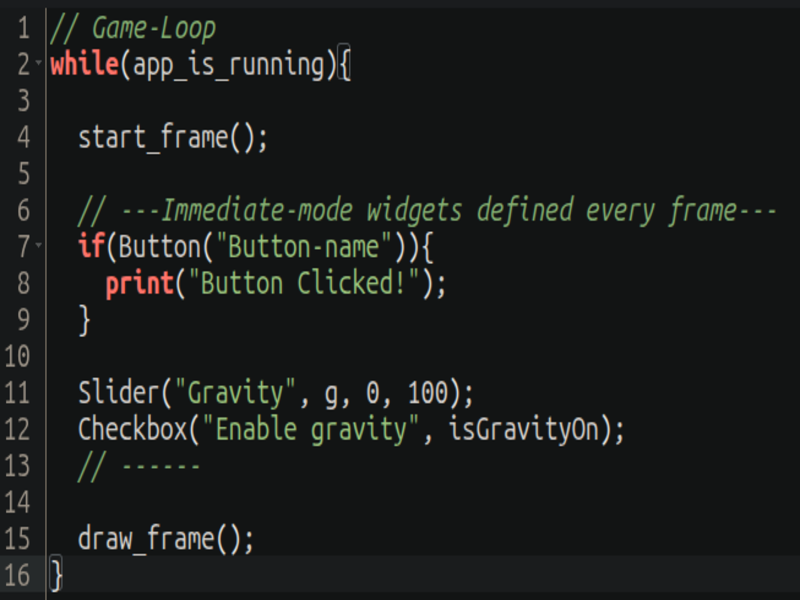
Fig-1.2.1
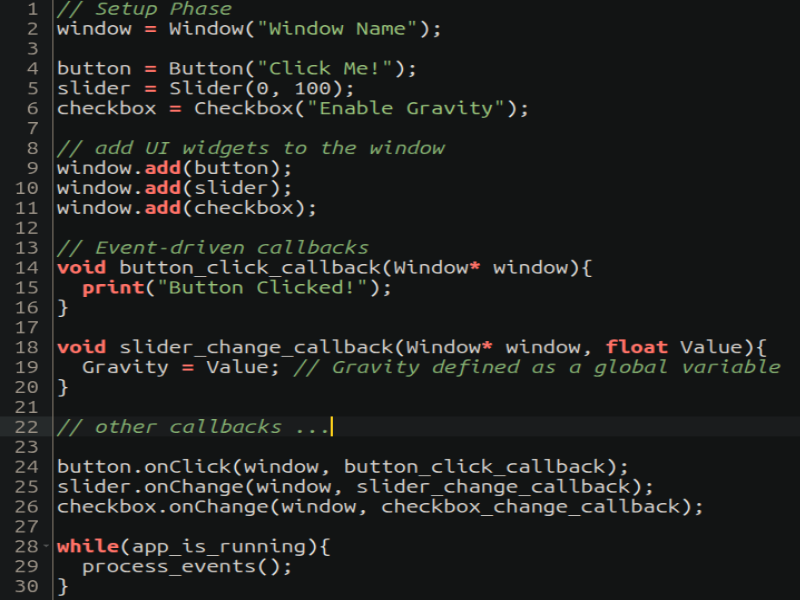
Fig-1.2.2
As you can see in the pseudo-code for immediate mode, state isn't stored in memory it's just declared anew every frame. Whereas in retained mode, we first declare all the widgets outside the game-loop and set callbacks to each widget and just process events in the game-loop. Take a look at some ImGui Code (Fig-1.3). Don't be scared by it, we'll be discussing all of it in my upcoming blogs.
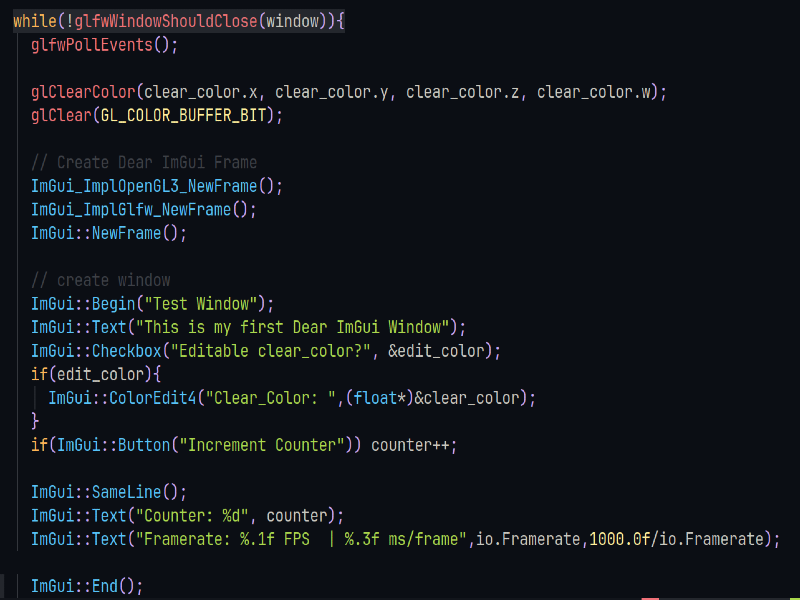
Fig-1.3
NEXT-BLOG: 2. Setting up DearImGui